
What is PostSlate?

Maybe you just got home from set and plugged your SD card into your computer, or got shared a Google Drive link that seems to go on forever with nothing sorted or organized.
Any of these sound familiar?
- P_NY2023.mp4
- DSC_3023.mp4
- DSC_0001.mov
No more! We’re building the ultimate solution for your post-production workflow to aid your creative process. You can use PostSlate, a footage organization tool for video editors, to organize, search, filter, and get insights into your footage, and arrange your shots if that’s your jam.
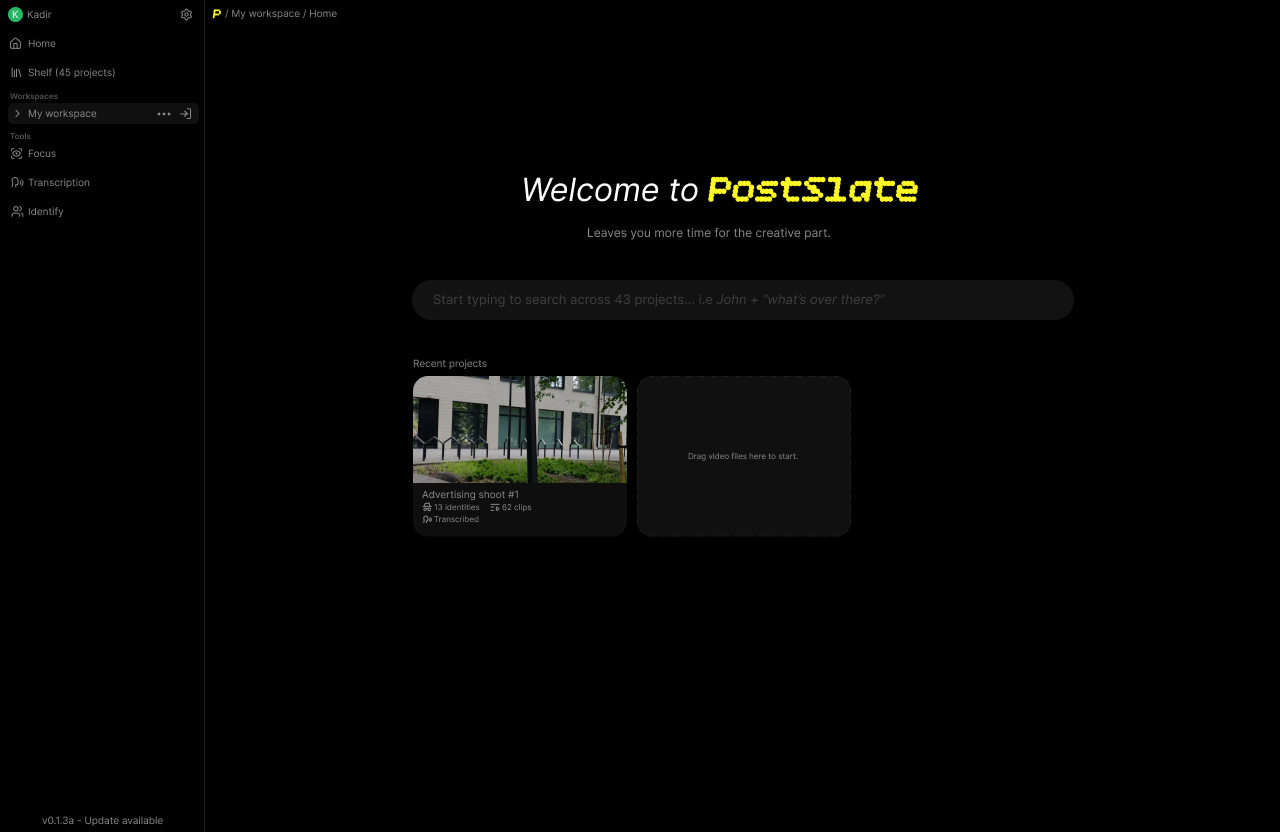
For years, the industry standard has told video editors to just “deal with it.” We were told that spending the first 6 hours of a project manually renaming files, squinting to check focus, and hunting through hours of talking-head footage for a single phrase was just the tax you paid for being a creator.
Then we looked at the current landscape of video tooling. Everyone and their mother is trying to force AI into every gap. Everything is moving to the cloud. Subscriptions are skyrocketing in price, and the solution offered to editors was: “Just upload your 83GB of 4K footage to our servers, trust us with your data, and wait for it to process.”
That’s when we could finally verbalize what we had been thinking for years: The friction isn’t the creative work. The friction is the pipeline. Video production doesn’t need another heavy, cloud-based platform that locks you into a single ecosystem and somehow forces you to use Generative AI. It needs a lightweight, local tool that cleans up the mess that comes from this creative process so you can actually start doing what you love.
Our Promise to Creators
We are building PostSlate on three unshakeable principles:
- Zero Lock-in: PostSlate will never force you to change your creative stack. If you love Premiere, Resolve, or Final Cut, we exist to get you into those timelines faster, not replace them. Organized shots, transcriptions, clip arrangements: whatever you need, exported in a format you can use, wherever you do your work.
- Privacy by Default: Your footage, your data, your intellectual property. Because it runs locally, what happens on your machine stays on your machine.
- Speed Over Hype: We won’t add features just to chase trends. Every tool we build must directly shave hours off the tedious parts of your post-production pipeline.
Triage
Sort and filter your clips by what happens in the shot (focus, sharpness, obstructions and even lighting), get insights into what was flagged, and triage your footage to find the best shots for your project. You’ll be able to easily sort your clips into buckets based on their content or overall visual quality.
Once sorted, it can easily be used in any other editing software since it’s just creating folders, you can also use the sorted footage in any other tool that we provide, i.e you only want to arrange the good clips.
Fluid Arrangement The process of organizing and arranging your footage to create a cohesive story or sequence
Easily arrange your shots using the context of what’s being said, all without losing any creative control or having to listen to the audio 43 times over.
To be as flexible as possible, we plan to support exporting arrangements to your favorite editing software, whether that be DaVinci Resolve, Premiere Pro, or Final Cut Pro, this gives you the freedom to continue the work on your arranged clips, adjust them as needed later on and use whatever tools are most comfortable for you.
Audio & Transcription
Using state-of-the-art speech recognition we can transcribe your audio into text, making it easier than ever to generate subtitles or captions for your video, we allow you to export it in any format you need, or use it in Search or in Arrangement to quickly jump to the right place in your timeline.
We also provide the tools to analyze your audio, normalize it, identify peaks and valleys, and more.
Search anything
Search for any term or keyword said in your footage quickly, mark terms like “cut” or create new workflows by saying a special word while shooting and instantly jumping to the right place in your timeline.
We’re also working incredibly hard on making Persona The process of identifying people in your footage for searching and filtering available to you, so you can easily see who is visible when and search for them later on. This would give our search the power of personalization, so you can search for people by their name and find clips of them saying anything in past projects.
For example, if you’re creating a montage of a food creator named Alex saying “ice cream”, you can use his identity to search for all instances of him saying that, and easily find all the shots to pull into your edit.
Built for Any Machine
At the core of what makes PostSlate unique is the ability to do all of the work on your local machine, without needing to rely on a remote server. We’re hard-focused on making the tool as widely available as possible, meaning it can be used by anyone, regardless of the power of their machine or operating system. We will never compromise on performance.
Join the wait
We are building PostSlate out in the open, and we want you to help shape the future of post-production. If you are tired of wrestling with chaotic file names, slow cloud workflows, and lost hours of organization, we’d love to have you.
Follow our journey by joining our Discord community and share your current workflow bottlenecks and tell us what we should build next.
Related reads:
- Find B-Roll Fast: Search Your Footage by What’s Said: see transcript search in action.
- How to Find Every Shot of a Person: how Persona and face search work.